

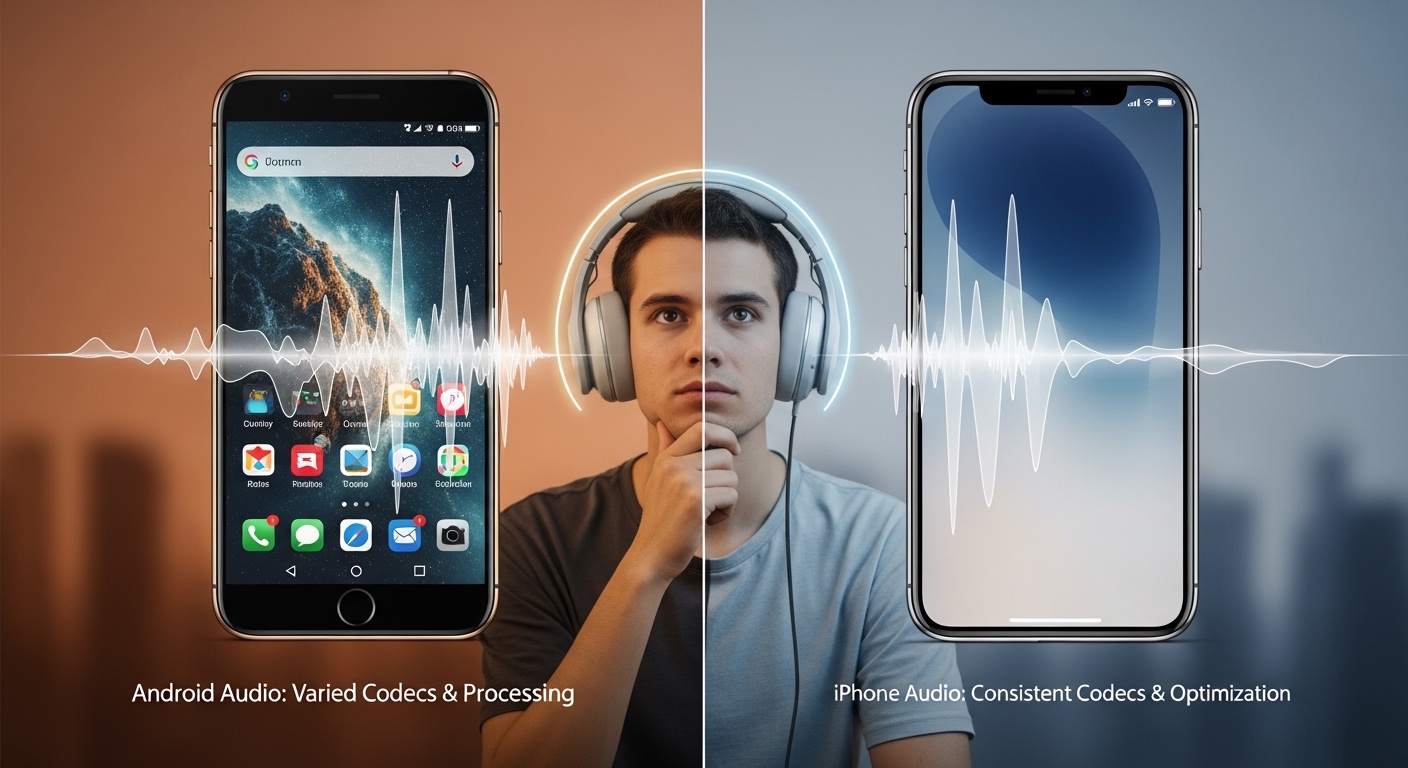
You probably noticed that the same pair of budget active noise cancelling (ANC) headphones can sound noticeably different when you switch between an Android phone and an iPhone. Maybe the bass feels boomy on one device and tighter on the other, or the midrange suddenly sounds recessed, or you hear more artifacts and dropouts. In this article you’ll learn why that happens, what parts of the signal chain affect perceived sound, and practical steps you can take to get the best possible performance from inexpensive ANC headphones regardless of which phone you use.
This is written from the perspective of an experienced consumer audio reviewer who focuses on budget gear. The goal here is to give clear, neutral explanations and pragmatic advice you can use when comparing, troubleshooting, or buying affordable ANC headphones.
Core Explanation — Where the Difference Comes From
At a high level, sound differences between Android and iPhone when using Bluetooth ANC headphones come from two overlapping systems: the way audio is encoded and transmitted by the phone, and how the headphones perform their active processing and playback. The phone determines what kind of digital audio stream the headphones receive — the codec, sample rate, channel layout, and sometimes additional processing — while the headphones’ internal microphone, digital signal processor (DSP), and drivers determine how ANC and equalization are applied. These two systems interact, and differences in codec support, Bluetooth stack, software features, hardware power, and even default EQ can change the final sound you hear.
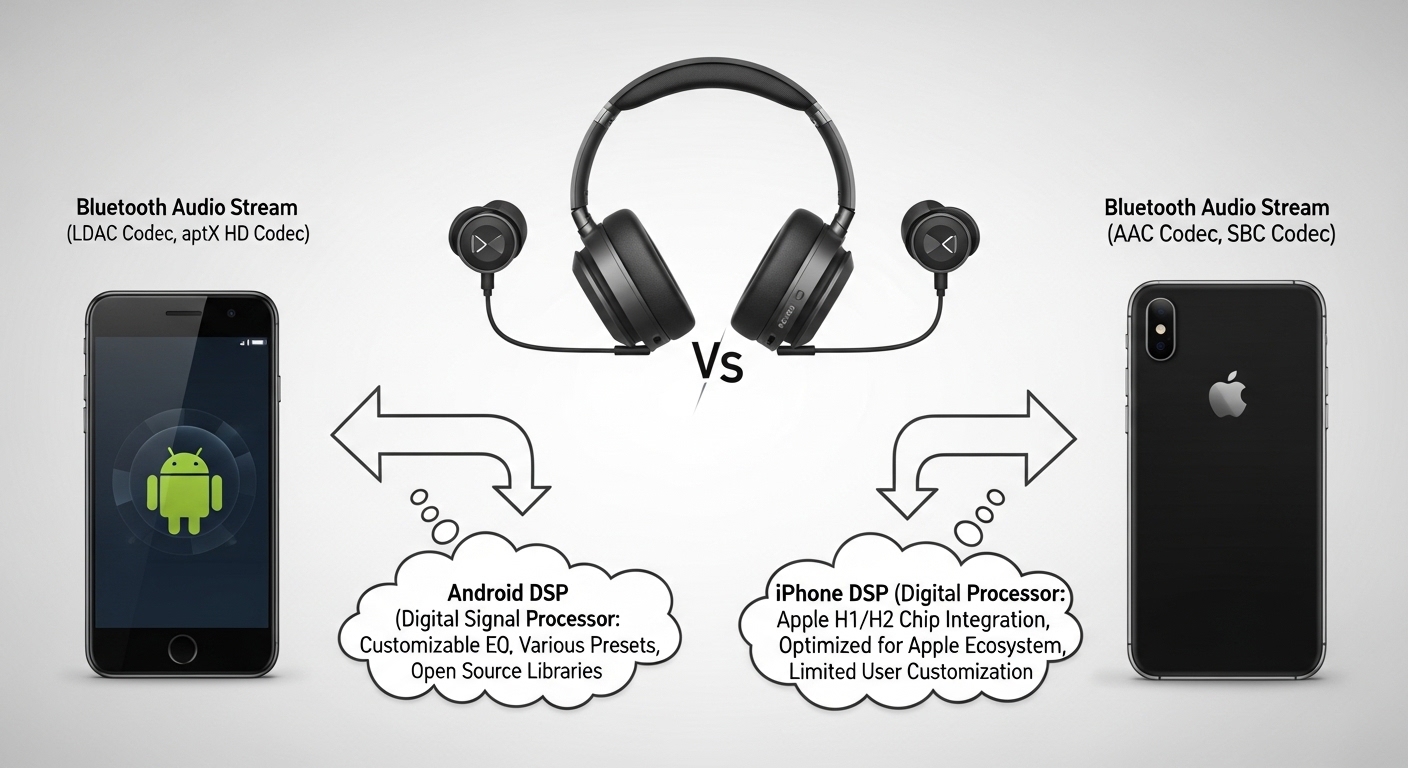
You should know that budget ANC headphones often cut corners in microphone quality, DSP horsepower, and driver accuracy to hit a price point. Those compromises mean they are more sensitive to variations in the incoming audio stream and to environmental factors. So when the phone changes the codec or introduces latency, the headphone’s ANC loop and tuning may behave differently, and you perceive a change in timbre, dynamics, or noise suppression.
Micro Component / Key Details
Below you’ll find what matters inside the headphones and inside the phone. Each small component affects performance and how differences show up between platforms.
Microphones: How placement affects performance
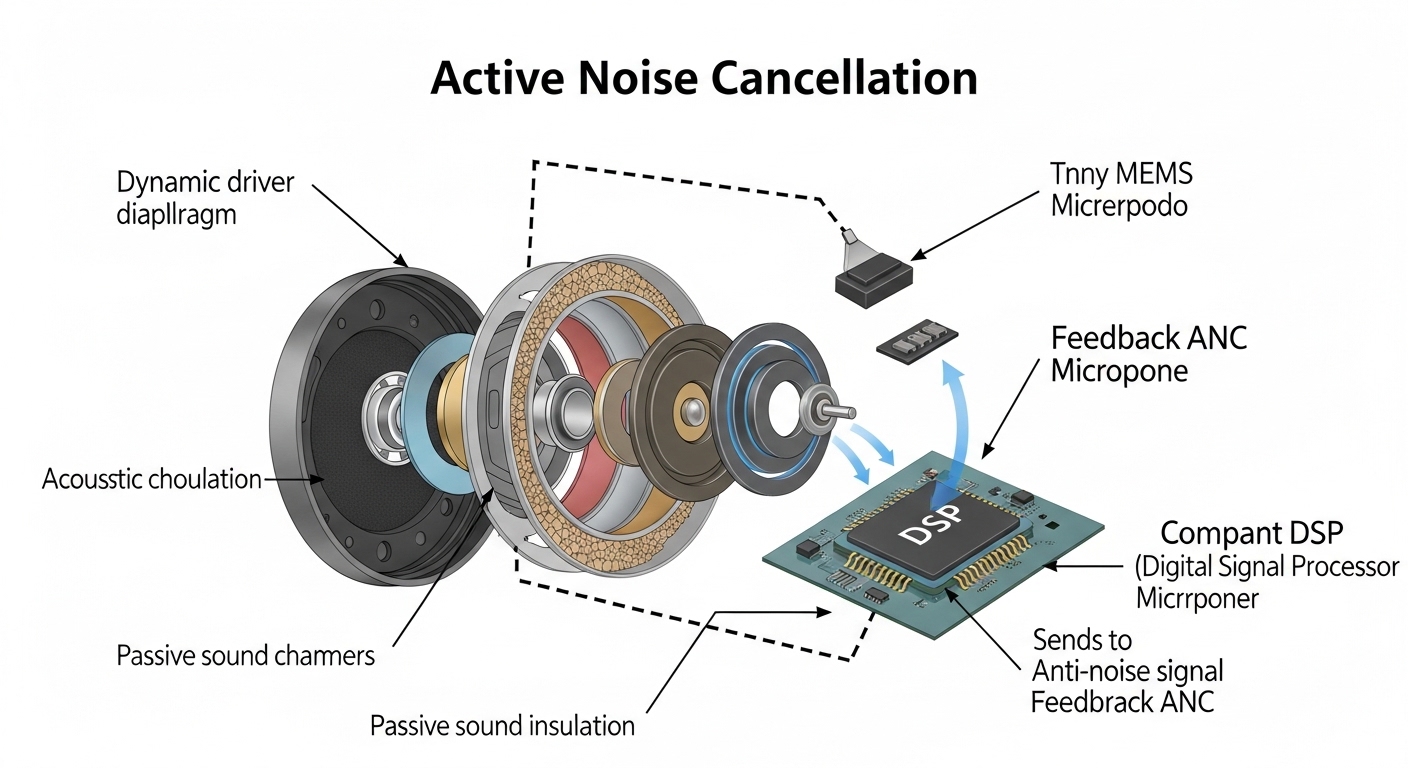
Microphones are the primary inputs for ANC. They pick up external noise and—depending on the design—also the sound coming from the earpiece (in feedback or hybrid ANC systems). On budget models, microphone quality is often modest, and the placement (outer shell vs. inside the ear cup) will dictate how much environmental sound is detected and how precisely the DSP can cancel it. If the mics pick up different amounts of bass or wind between runs, the ANC algorithm may over- or under-compensate, which creates different tonal impressions.
DSP, latency, and filters
The DSP runs the ANC algorithms and any EQ/tilt filters you hear. Budget DSPs have limited processing power and may rely on simpler ANC approaches (e.g., single-band feedforward) that are more sensitive to timing and codec latency. Bluetooth codecs introduce buffering and variable latency; if latency grows too large or fluctuates, the ANC algorithm can lose phase alignment with incoming noise, causing reduced effectiveness or changes in low-frequency response. You’ll notice this as inconsistent bass or a “shell” around the soundstage.
Drivers and acoustic design
Drivers and the physical acoustic design of the ear cup or ear tip determine how the headphones reproduce frequencies and how passive isolation complements ANC. If the fit is different between your ears or your phone’s output level leads to different dynamic behavior, you’ll perceive changes in clarity and warmth. Many budget models compromise on driver linearity and rely on DSP to “tune” the sound; this makes them more reliant on consistent input quality from the phone.
Bluetooth codecs and profiles
This is one of the biggest practical differences between Android and iPhone. iPhones have reliable AAC implementation but do not support Qualcomm’s aptX family or Sony’s LDAC. Many Android phones support aptX, aptX HD, aptX Adaptive, or LDAC, which can offer higher bitrate streams than SBC or AAC. However, codec negotiation depends on the handset and the headphones — the best codec supported by both will be used. On budget headphones that don’t support high-bitrate codecs, both platforms might fall back to SBC or AAC, and implementation quality of SBC or AAC on either phone can vary, changing perceived detail, compression artifacts, and dynamics.
Power, battery management and thermal throttling
If the headphone or the phone is on a battery-saving mode, or if the headphones have low battery, manufacturers sometimes reduce DSP workload or switch ANC modes to conserve power. A low-power ANC mode can sound flatter, reduce depth, or change the perceived tonal balance. Similarly, if your phone’s Bluetooth hardware is running under thermal constraints, codec performance could be affected.
Real-World Experience / Practical Insight
In everyday use, the differences you notice depend on a mix of content type, environment, and how the headphone and phone are configured. Listening to compressed pop music at moderate volume in a noisy coffee shop, you’re more likely to notice ANC effectiveness and bass stability differences; streaming high-bitrate files or using a local hi-res file reveals codec effects and detail retrieval more clearly. Latency differences are more apparent with video or gaming: you might see lip-sync issues on one phone and not the other.
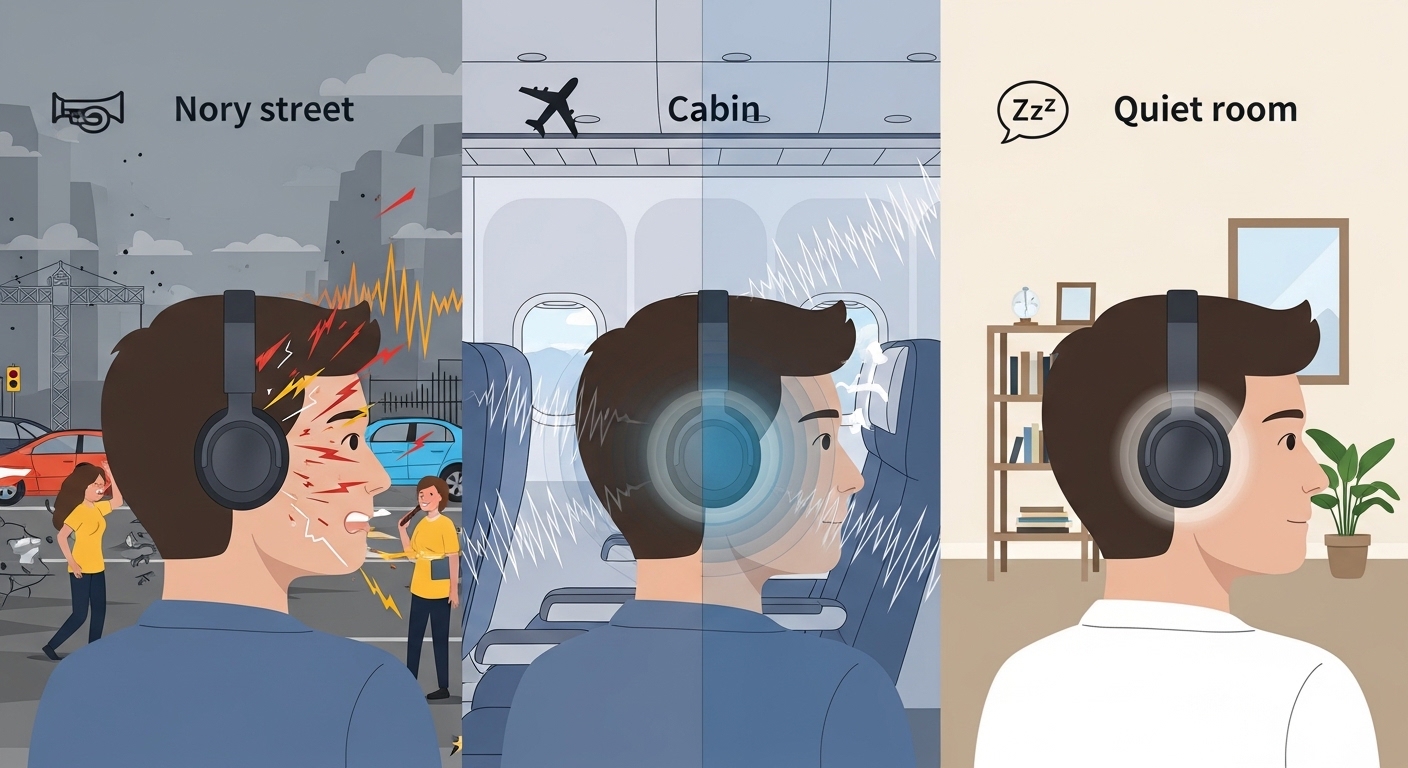
You should also pay attention to fit and seal. ANC works best when passive isolation is good; a better seal reduces the amount the ANC DSP needs to correct and usually gives more consistent sound. Over time, ear pads compress, ear tips wear out, and fit changes — all altering passive isolation and therefore the perceived ANC and sound. Firmware updates can change DSP tuning, which sometimes explains why headphones sound different after software patches. Similarly, companion apps can apply EQ presets or enhancements by default; Android and iOS versions of those apps may differ in features or behavior.
Common Mistakes / Misunderstandings
People often come away with a few predictable misunderstandings about why ANC headphones sound different between phones. Here are the most common ones you should avoid.
- Expecting ANC to replace passive isolation: ANC is most effective in low-frequency ranges and cannot completely eliminate mid- and high-frequency sounds or poor fits. If the seal is bad, changing phones won’t fix it.
- Assuming price guarantees performance: Even expensive ANC systems can be tuned poorly; equally, some budget models offer surprisingly effective ANC for specific noise types. Platform differences can exaggerate perceived flaws in cheaper designs.
- Ignoring codec and Bluetooth settings: Many users don’t realize their phone is sending audio using a low-quality codec. Android phones have options that can improve or worsen the link; iPhones largely rely on AAC with limited tweaking.
- Overlooking companion app mismatches: Some features, EQ presets, or firmware upgrades are only available on one platform or are implemented differently, which can change sound.
- Blaming the headphones immediately: Sometimes the phone’s Bluetooth stack, power settings, or a simple software update is the reason for a new sound, not a change in the headphones.
These misunderstandings often lead you to change hardware unnecessarily when the root cause is software, fit, or codec selection.
How the Topic Is Objectively Measured or Evaluated
If you want to step away from impressions and look at objective measures, several standard tests and metrics can quantify ANC headphones’ behavior and help you understand platform differences. Common tests include measuring frequency response with and without ANC on using pink noise and a calibrated microphone in a coupler or head-and-torso simulator (HATS), measuring insertion loss to quantify passive isolation, and measuring noise attenuation across a range of frequencies to produce an ANC performance curve.
Latency tests can show codec and buffering delay differences between Android and iPhone, often measured with a loopback or a test tone synchronization method. You can also measure bitrate and packet retransmission rates on the Bluetooth link, though that requires specialized logging tools. For real-world usability, you should also test battery life under identical ANC settings and measure how performance changes as battery drops. Objective measurements tell you whether differences you hear are frequency-response-based, latency-based, or the result of codec artifacts.
In practice, apply both objective and subjective evaluation. Use measurement data to confirm issues (for example, a big dip in low-bass with ANC on a particular phone) and then verify with listening tests across different music genres and environments. When you evaluate headphones, document firmware versions, phone OS versions, and the exact codec negotiated by the devices to reproduce your findings.
Why Codecs Matter — A Deeper Look
You’ll hear the word “codec” a lot in discussions about Bluetooth audio, and for good reason. A codec determines how audio is compressed, transmitted, and decoded. Common codecs include SBC (required baseline), AAC (favored by Apple devices), Qualcomm aptX family (common on Android), and LDAC (Sony’s high-bitrate option supported by many Android devices). Each codec has different latency, compression characteristics, and bitrate constraints.
For budget ANC headphones that support only SBC or AAC, codec quality often determines how much detail is preserved and how the bass and transients feel. SBC implementations vary widely across phone manufacturers; some use aggressive low-complexity settings that reduce bitrate, leading to reduced clarity and dynamics. On iPhones, AAC is implemented well and can sound better than poorly configured SBC on some Android devices, which is why you may prefer your headphones on an iPhone even though the headset supports more advanced codecs on Android devices.
However, better codecs only help if the headphones’ hardware and DSP can take advantage of the higher-quality stream. If the headphone is tuned to rely heavily on its own DSP, or if its DAC/driver chain is the weak link, the advantage of a higher-bitrate codec may be muted.
ANC Design Types and Why They Respond Differently
You should know the three main ANC design types and how they perform in budget products:
- Feedforward ANC: Uses external mics to sense ambient noise. It can react quickly to predictable noise but is susceptible to wind and sudden noise and requires accurate mic placement.
- Feedback ANC: Uses internal mics near the driver to sense residual noise inside the ear cup and correct it. It can perform better at lower frequencies for some designs but is more dependent on driver behavior.
- Hybrid ANC: Combines both external and internal mics for better coverage but is more complex and costly.
Budget headphones often implement simpler feedforward or reduced hybrid systems due to cost constraints. These simpler systems are more sensitive to timing and codec-induced latency. If a phone introduces variable latency or jitter, the loop closure for the ANC algorithm becomes less consistent and you hear movement in bass, or “woolly” low-end that changes across devices.
Software and Features That Impact Sound
Software is where much of the cross-platform difference comes from. Some headphones rely on a phone app to provide EQ and ANC mode selection; the Android app may offer more granular controls than the iOS app or vice versa. Additionally, operating systems can apply audio enhancements such as volume leveling, dynamic range compression, or “adaptive sound” features that change how the music is output. On Android, manufacturer skins and OEM audio enhancements can change the default behavior; on iPhone, system-level features like spatial audio and head-tracking (for supported earbuds) can alter perception for compatible devices.
You should check whether any phone-level enhancements are enabled and whether the headphone’s companion app is applying automatic adjustments. Turning off system-wide audio processing and using a neutral EQ in the headphone app will let you test the pure differences from codec and hardware.
Practical Steps to Reduce Differences Between Android and iPhone
If you want more consistent sound across phones, try a few practical steps that address the usual causes.
First, ensure your headphones and phone firmware are up to date, then check which Bluetooth codec is active. On many Android phones you can force aptX or LDAC and adjust transmit quality in developer settings. On iPhone, you typically get AAC or SBC, so check that your headphones are pairing correctly and not falling back to a poorer implementation. If your headphones have a companion app, set a neutral EQ and disable any automatic sound enhancements. Pay attention to fit and replace worn tips or pads to restore passive isolation. Finally, try toggling ANC modes if available — sometimes a lower-power ANC mode sounds more natural even if it reduces some absolute attenuation.
These steps won’t eliminate all differences — because hardware and codec compatibility are physical realities — but they reduce the common software and configuration causes for most users.
Who This Is (and Isn’t) For
This article is intended for you if you’re shopping for budget ANC headphones, troubleshooting inconsistent sound between phones, or trying to get the best performance from an existing pair. If you value predictable, cross-platform performance, focus on headphones that support multiple modern codecs (and test them on your specific phone), have a robust companion app on both platforms, and include replaceable ear pads or tips so you can maintain a consistent seal.
This article is not aimed primarily at professional audio engineers who need studio-accurate response, nor at audiophiles who prefer wired, high-resolution listening chains. Those users may be better off with wired ANC-capable designs or high-end wireless models with documented multi-codec support and strong measurement data.
Buying Considerations When You Want Consistency
When you shop for budget ANC headphones and you care about consistent sound across platforms, prioritize these things in your decision process: clear documentation of codec support, active development and firmware updates from the manufacturer, good passive isolation (replaceable pads/tips), and a companion app available on both Android and iOS with matching features. Also consider return policies and how easy it is to test the headphones with your own phone before committing.
If you rely on one platform more than the other, that matters too. If you’re an iPhone user, you can safely assume good AAC behavior but no aptX; if you use Android, check whether your specific handset supports aptX/LDAC and whether the headphones support those codecs. For the best cross-platform experience on budget models, favor designs with stable SBC/AAC implementations and robust ANC performance that doesn’t strictly depend on high-bitrate codecs.
Troubleshooting Checklist
If you notice differences and want to methodically diagnose the issue, follow this checklist: confirm firmware updates, check the codec negotiated by the Bluetooth link, verify companion app settings and EQ, test with ANC on and off using the same audio file, check fit and passive seal, and verify battery levels on both phone and headphones. If you suspect phone-side processing, temporarily disable system audio enhancements and compare results. Document what you do so you can revert changes or share your findings with others.
Typical Scenarios and What They Mean
You might observe specific patterns that point to particular causes. If sound feels compressed or lacks detail on Android, it’s often a codec implementation or SBC fallback problem. If bass becomes inconsistent when moving between quiet and noisy environments, that points toward ANC timing or microphone feedback interacting with the codec’s latency. If call quality drops dramatically when you switch phones, you’re probably running into narrow-band HFP/HSP profiles — call audio is deliberately constrained for voice and is unrelated to music playback.
If artifacts or dropouts appear in one phone but not the other, consider interference, Bluetooth antenna differences, or aggressive power/sleep settings on the problematic phone that hamper continuous high-bitrate streaming.
When the Phone Matters Less — Wired and USB Options
If you’re determined to eliminate Bluetooth codec variability, use a wired connection where possible: USB-C or Lightning adapters with a proper DAC can bypass Bluetooth entirely. Wired ANC headphones are rare at the budget level, but some headphones support a wired mode where ANC still works while audio is wired. In that scenario, most codec and Bluetooth concerns disappear and the phone mainly supplies analog or digital-uncompressed audio. You should, however, be mindful that adapters can have quality differences and that some phones may still apply processing to digital USB streams.
Final Practical Tips
- Test with the same track and volume level on both phones to ensure you’re comparing apples to apples.
- If your headphones offer multiple ANC modes, try each one after switching phones. Sometimes “ambient” or “transparency” modes are implemented differently and may mask or reveal codec-related differences.
- Replace ear tips and pads periodically — the best way to equalize performance across session changes is a consistent physical seal.
- Avoid assuming a single listening session reflects long-term performance; test over multiple environments and after a firmware update.
Conclusion
In short, budget ANC headphones can and do sound different between Android and iPhone because of a complex interaction between phone-side codec and Bluetooth implementation, headphone microphone and DSP behavior, passive isolation and fit, battery and power modes, and software features or companion apps. Budget designs are often more sensitive to those differences because they have less DSP horsepower, lower-quality microphones, and drivers that rely on processing to hammer the tuning into shape.
You can reduce platform differences by keeping firmware current, checking codec negotiation, using neutral EQ, ensuring a good physical seal, and testing real-world scenarios. Ultimately, if you need predictable, consistent performance across both Android and iOS, pay attention to codec support and manufacturer support, and choose models that document multi-platform behavior and offer reliable companion apps on both operating systems.